
Sobes Copilot is not recording audio on Windows
If audio recording is not working, disable exclusive mode for the playback device.
Open the sound control panel: right-click the volume icon → "Sound settings" → "More sound settings". Select the playback device and click "Properties". Go to the "Advanced" tab.
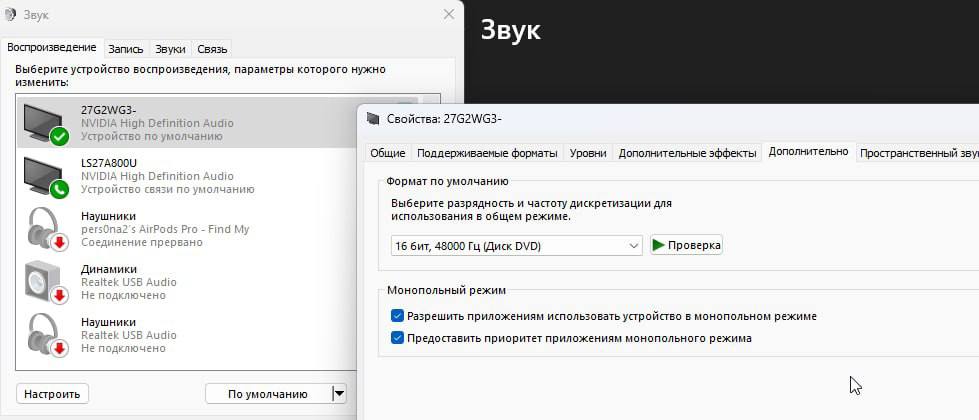
Under "Exclusive Mode", uncheck both options: "Allow applications to take exclusive control of this device" and "Give exclusive mode applications priority".
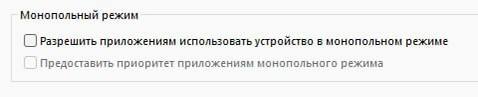
Click "Apply" and restart Sobes Copilot.
Sobes Copilot is not recording the voice of interlocutors in Zoom
Open Zoom settings, go to the "Audio" section, open "advanced settings".
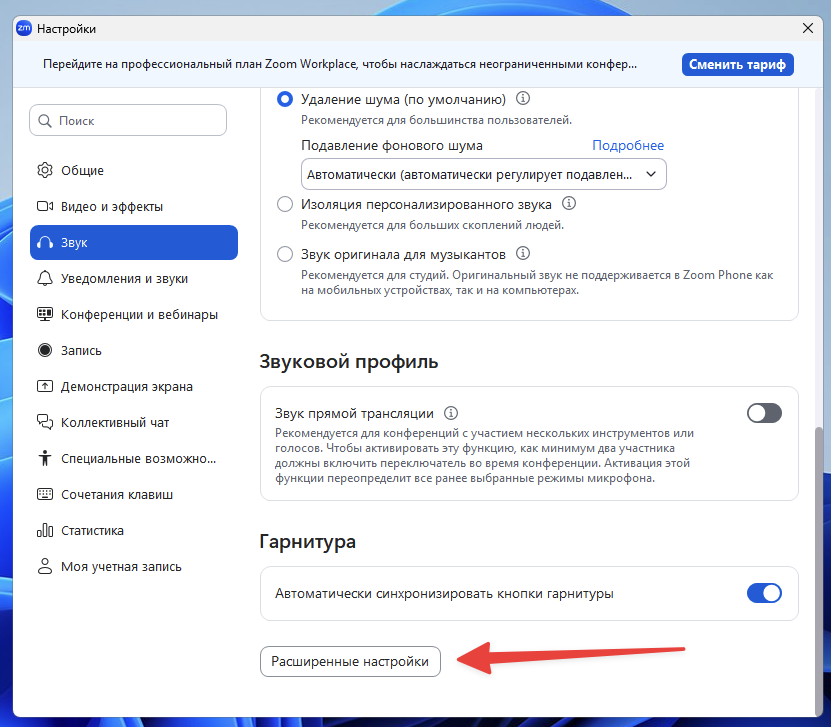
Make sure the audio settings match the settings in the screenshot below.
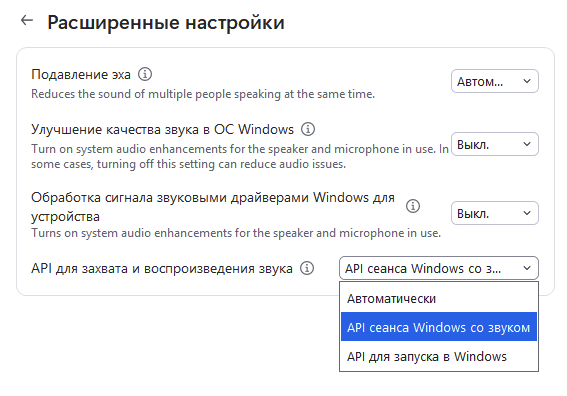
After settings, restart Zoom and Sobes Copilot.