
System audio is not being recorded
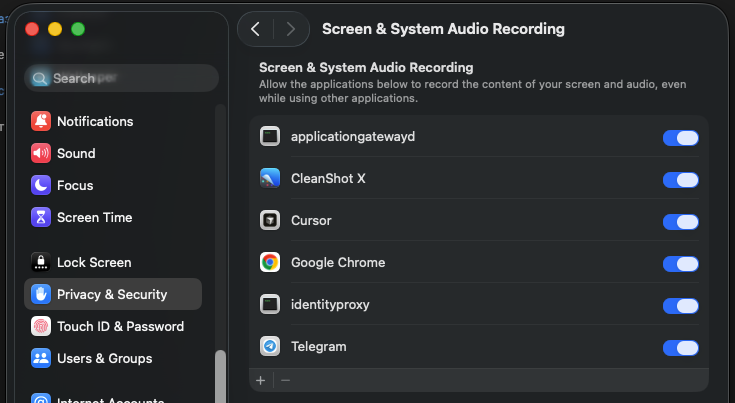
On macOS, you need to allow the application to record screen and system audio in System Settings → Privacy & Security → Screen & System Audio Recording.
Screenshots only show the desktop
Same reason — the application doesn't have screen recording permission. Go to System Settings → Privacy & Security → Screen & System Audio Recording and enable identityproxy.